


How to automatically save changes when leaving a DGN file
Problem
My design file does not automatically record the changes that I am making, so I lose all my changes after leaving.
Solution
The reason behind this is that the automatic recording option is not enabled.
Below you will find the workflow to enable the automatic recording option of design changes:
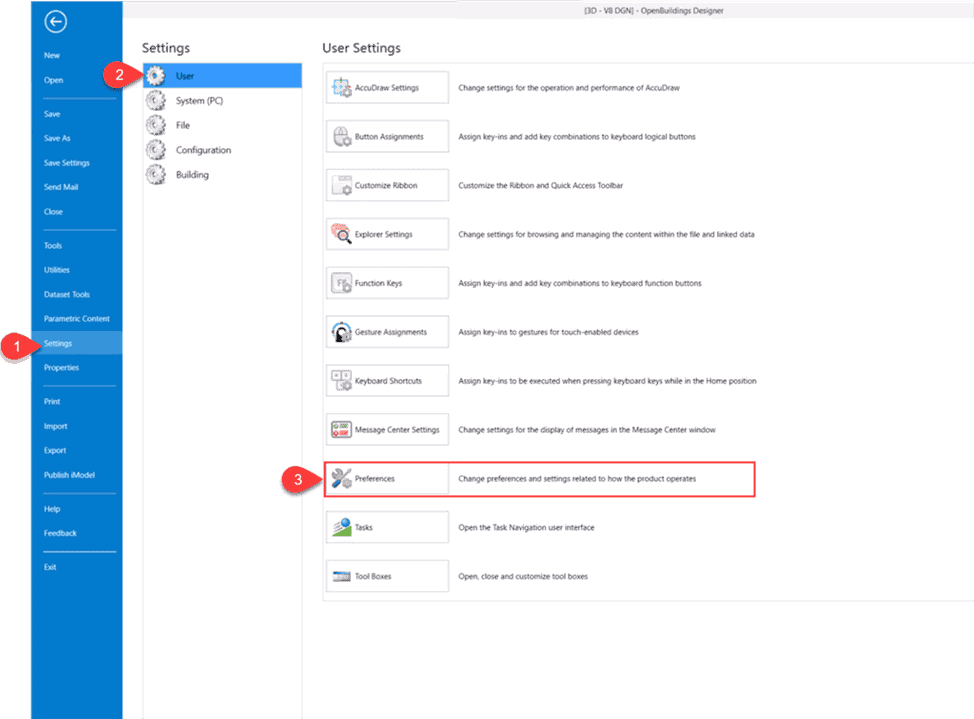
1. In OpenBuildings Designer with an open design file, click the menu File in the upper left corner to access the backstage of the tool.
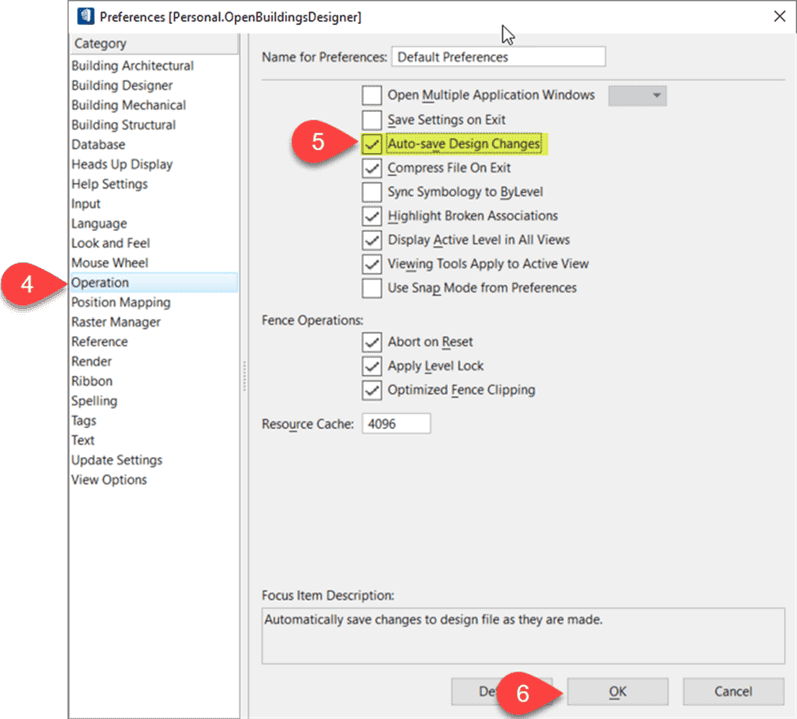
2. Then choose Settings > User > Preferences > Operation. You will find the option "Automatic recording of design changes" (Auto-save Design Changes).
Activate this option and click OK.
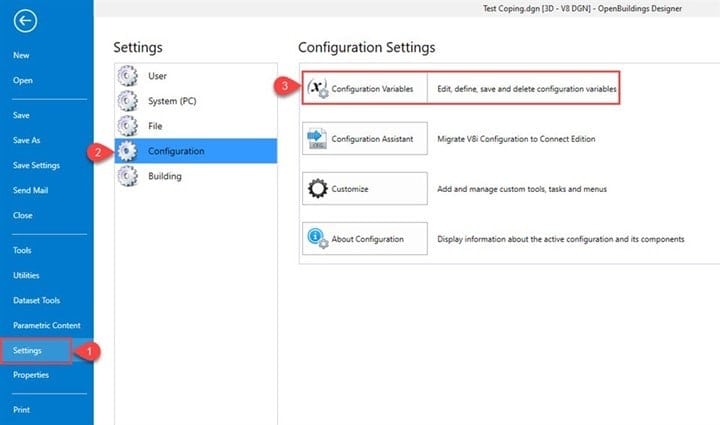
You can also open the dialog box Configuration Variables and define the configuration variable: MS_DGNAUTOSAVE
Alternative
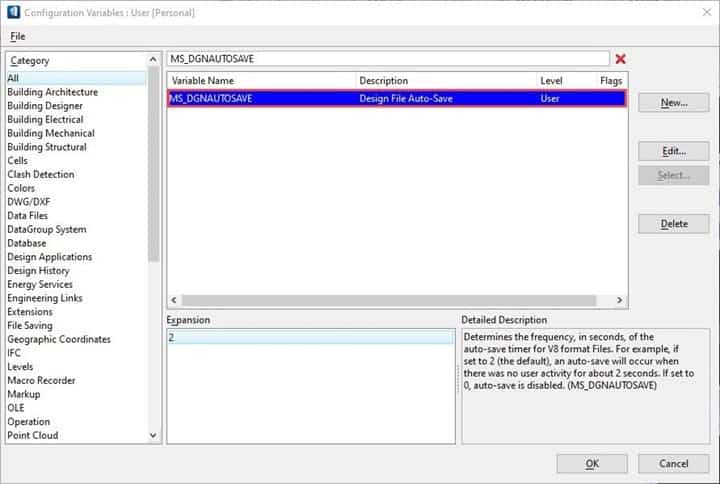
If this variable is set to 0 or a negative number, the automatic recording is disabled for all file types. If set on a positive number, autorecording is enabled for all file types. The specified positive number applies when changing design files to V8 format and determines the number of seconds of user inactivity that must flow before automatic recording of OpenBuildings Designer.
Set the value now as you wish. For example, if it is set to 2 (default), an automatic backup occurs when there is no user activity for about 2 seconds.
Similarly, to automatically save to a DWG file, you can set the variable MS_DWGAUTOSAVE.
If this variable is set to a positive number, it specifies the number of seconds after stopping the cursor movement in the DWG or DXF file that an automatic record occurs. When this time has elapsed, an alert window appears and asks if the changes should be recorded. The recording time may be important, so you can delay recording by clicking Cancel. If set to zero, no automatic backup is performed when the file is opened. The file is automatically saved at the output or when switching to another file.
