


How to get the version number of OpenBuildings Designer if it has already been uninstalled from the system?
Problem
It is sometimes found that the user encounters a problem with a particular version or, due to certain requirements of the project, has to install a version different from that installed. It is therefore essential to know precisely the version number or more precisely the number of the build.
Solution
This situation can occur if the user cannot find the executable file from the application which is usually the case if it has already been uninstalled. In this case, it is necessary to collect log files associated with all Bentley applications.
Here's how to cSelecting newspapers:
1. Open Bentley Newspaper Collector
Open the menu Start Windows, enter Log Collector and choose Bentley Log Collector in the search result.

2. Click on the button Collect in the window that displays.
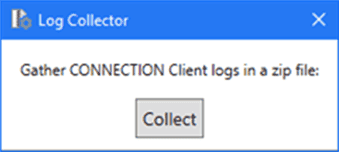
3. Select a location, enter a filename for the logs to collect, then click on Save.
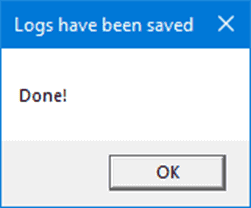
4. After a few moments, a confirmation window appears – click OK.
You are now able to find the version of the product that was previously installed:
1. In the ZIP file saved at the previous point, open the file Bentley.Connect.Client.exe.log in the Notepad.

2. Then look for the character string "OpenBuildings Designer" Then look for the date and time associated with it and check that it is the correct date of installation of the product.

