


Creating an opening in a solid using the Perforators tool
Problem description
How to create an opening in a solid using the Perforators tool?
Steps to follow
Please follow the steps below to create an opening in a solid using the Perforators tool.
1. First, you will need to place a solid block and the extruder.

2. Then you will have to define a cell origin in this solid block.

3. After setting its cell origin, you must create a new perforator and define it on the full block.

4. Then you will need to create a new parametric cell.


5. After that, you will need to create a new linear solid with its required width and height as needed.

6. Then, in the cell library tool, right-click on the parametric cell you created and choose Place the cell in the list. After that, place this cell on the solid.
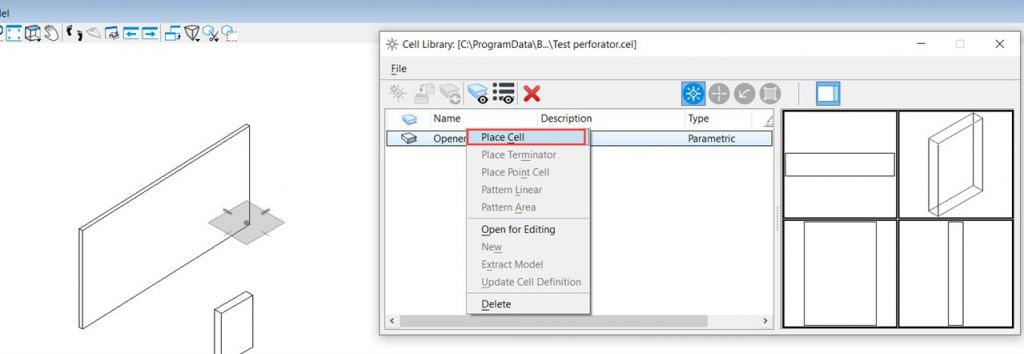

7. Finally, after placing the cell on the solid, you can see that an opening is created on the solid.

