


The simplest way to replace cells
Problem description
How to quickly replace old cell models with newer versions?
Steps to follow
Please follow the steps below to quickly replace all existing cells with new ones.
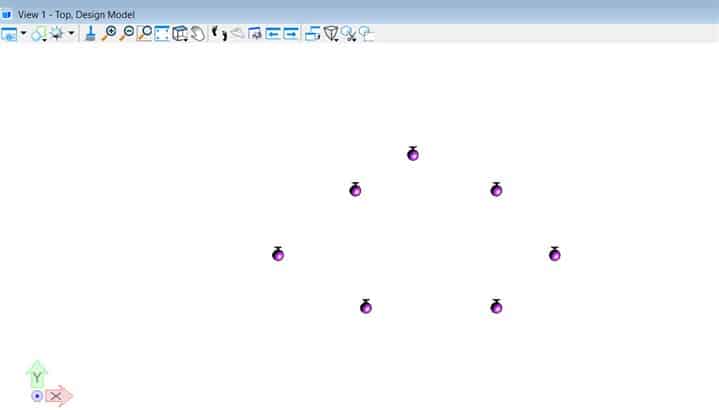
1. Assuming you have already placed cells in your model, as illustrated in this example:
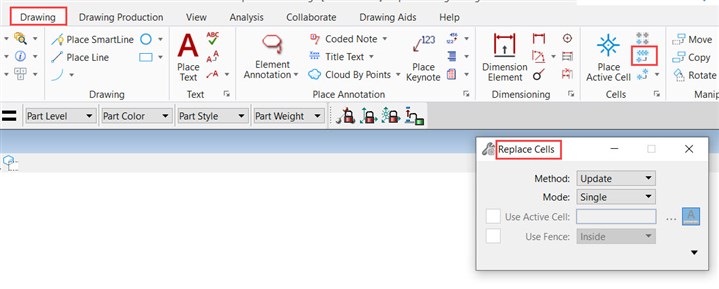
2. In the Drawing tab, open the tool Replace cells.
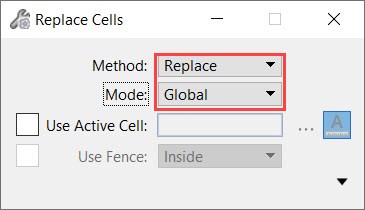
3. Then, in the Replace Cells dialog box, select the method as Replacement and fashion as Global.
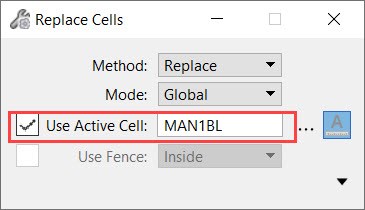
4. Then check the box "Use active cell" and choose the cell you want to place.
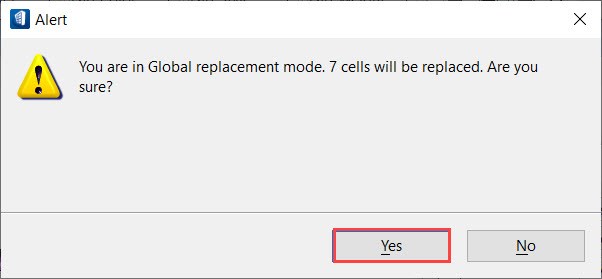
5. Then you will need to click on a cell of the model, after which a warning dialog will appear asking if you want to replace all the cells globally – click "Yes" to accept this change.
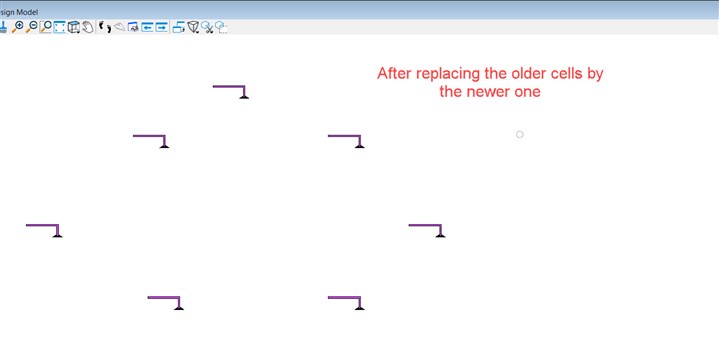
6. Finally, you can see that all old cells have been replaced by the latest versions of the model.
Additional note : If your cells are shared cells, the mode replacement "Global" or "Unique"will produce the same effect.
