

OpenPlant Orthographics Manager
Automatically generate accurate drawings
OpenPlant Orthographics Manager automates the creation of precise spelling plans from your 3D models. Produce detailed drawings that meet industry standards quickly, standardize your projects and simplify team-to-team collaboration for more reliable and efficient designs.
OpenPlant Orthographics Manager: the BIM software that turns your 3D models into precise plans
Clear, consistent and ready-to-use plans
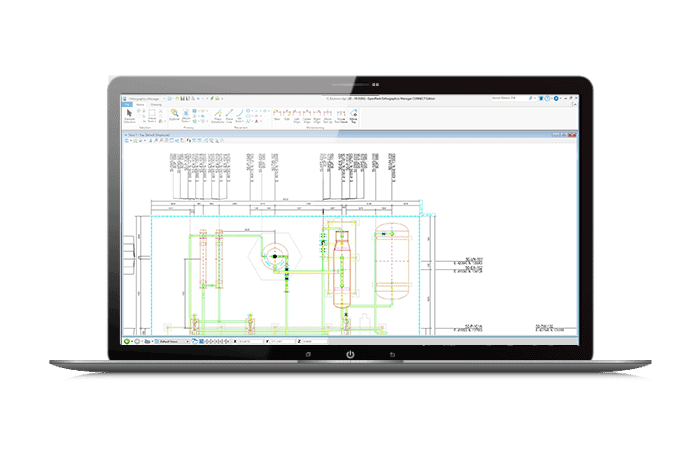
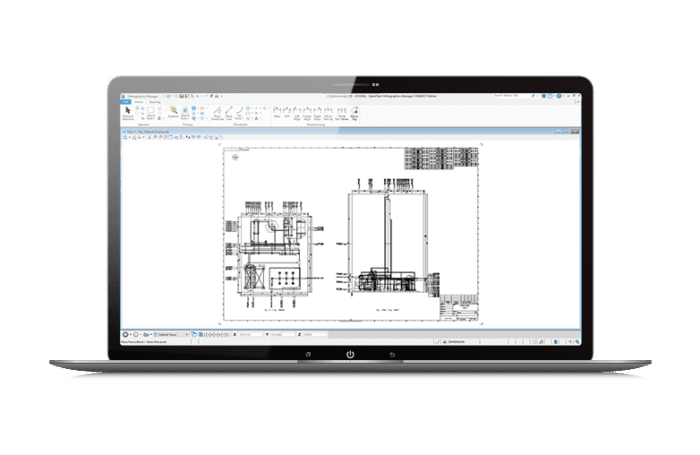
OpenPlant Orthographics Manager allows you to quickly produce high-quality implementation plans by automating the extraction of 2D files from 3D models, thus increasing productivity by allowing designers to focus on design rather than manual design.
OpenPlant Orthographics Manager
Automate the production of your plans, improve their readability with clear annotations, and increase efficiency on your projects with collaborative and interoperable features.
Create specific plans
- Produce better quality layout plans faster by automating 2D file extraction from 3D models.
- Regenerate plans with different annotation and labelling options, for quick project configuration.
- Ensure that your plans are updated with a faster revision process with automatic annotations and ratings (single and double lines).
![Computer screen displaying OpenTower structural analysis software with a 3D model of a roof farm and various analytical data on the interface.]()
Save time and energy
Save time when extracting 2D files through the automated production of drawings.
Reduce costs and increase design productivity by allowing non-designers to produce and manage drawings outside the design application.
![Screenshot of the 3D engineering software interface showing a detailed structural model with coloured elements, accompanied by menus, toolbars and a project management panel including OpenTower for improved fixation analysis.]()
Transparent integration
- Integrate ProjectWise for project information management and collaborative cloud services.
Make sure the drawing information is accessible at all times so that everyone can find, share and use it quickly.
![Screenshot of the 3D engineering software interface showing a detailed structural model with coloured elements, accompanied by menus, toolbars and a project management panel including OpenTower for improved fixation analysis.]()

Licensing Options
Annual rental
The simple and efficient way to use software over a fixed period of 12 months. The license is associated with the user and can be used on several posts (but not simultaneously).
The annual subscription includes a number of "keys" that can be exchanged for training or accompaniment (mentoring).
Perpetual licence
A perpetual license is a unique purchase, it can be accompanied by an annual maintenance contract called SELECT. The latter assures you that your software is always up to date, 7 days a week and 24 hours a day support and allows for the buoyancy of licenses among other services.
The SELECT contract offers maintenance for your perpetual licenses including various benefits:
- Floating licences
- Software updates
- Balancing the licensing portfolio
- Technical assistance 24/7, 365j/365
- CONNECT services


