


How to reset the tool or default command to None
Background
Every time you open OpenBuildings Designer, the "Select Elements" toolbox appears. This is because, by default, the "Select" command is chosen as "Default Tool". But this default parameter can be changed by following the steps mentioned below.
Steps to follow
To remove the default tool, follow the steps added below,
1. Open the specific DGN file in OBD. Then open the "Preferences" using the next path,
File>Settings>User>Preferences
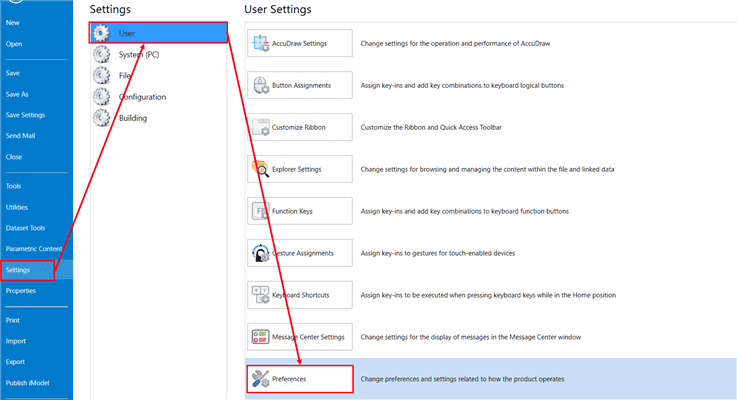
2. After clicking Preferences, a pop-up window called "Preferences [Personal.OpenBuildingsDesiner]" will appear. From there, choose « Introduction » (Look and Feel in English) in the list on the left.
3. Then, from the right view, set « Default tool » on « None » in « Selection ».

