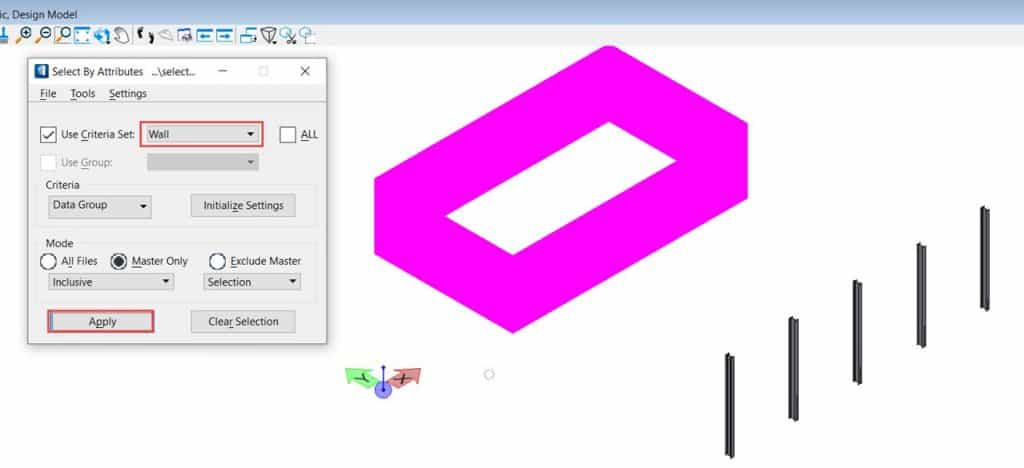
Selection of elements according to their DataGroup criteria via tool Select by attributes
Problem description
How to select items based on their DataGroup criteria via the Tool Select by Attributes?
Steps to follow
Please follow the steps below to select items based on their DataGroup criteria via the Select by Attribute tool.
1. As a first step, you will need to place all structural and architectural elements in the design model. In this case, a steel column and a brick wall were used.
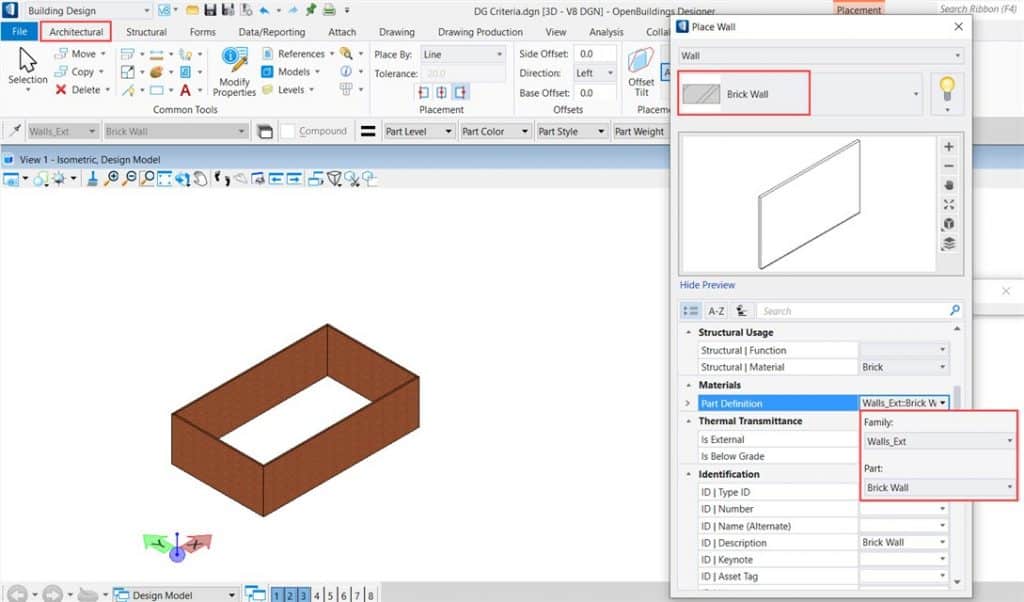
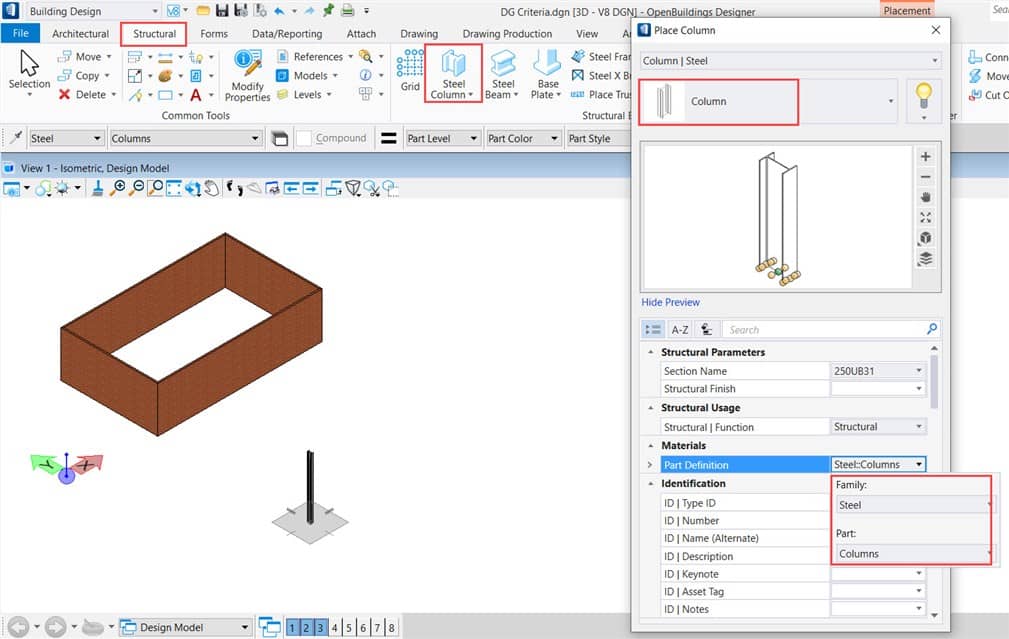
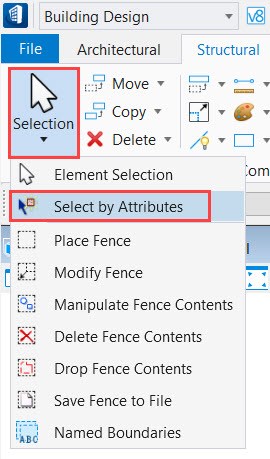
2. Then in the drop-down list Selection of elements, you will have to select the tool Select by attributes and open it.
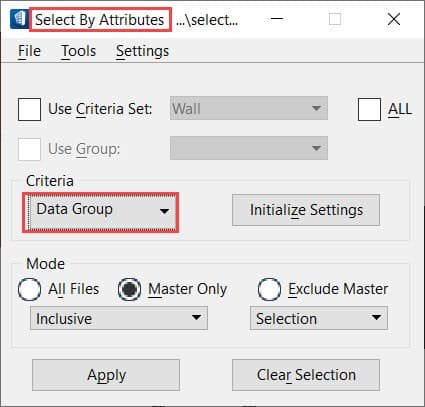
3. After opening the tool Select by attributes from the drop-down list criteria, select the criterion "Data group"and open it.
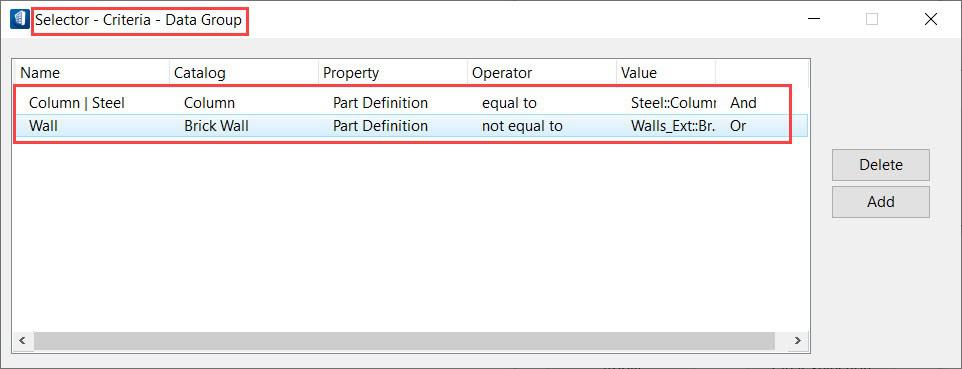
4. After opening the Data Group Criteria tab, you will need to add the items according to their name DG, catalogue name DG, property (the coin definition was used in this case for both elements), operator (you will have to choose this operator with caution) and ValueThen close it.
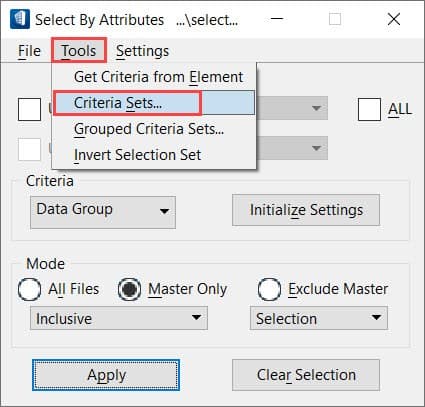
5. Then you will have to go back to the Select by Attributes tab and from the ribbon Tools, you will have to select the option Set of criteria and open it.
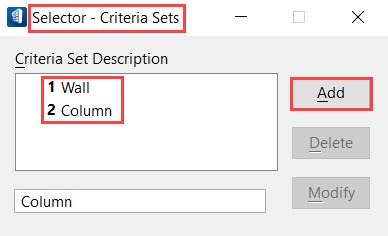
6. After opening the Criteria Set dialog box, you will need to add the item names respectively and close the tab after that.
7. Then you will have to check the Sets of Criteria box and in the drop-down list of it, you will notice that the names of the items.
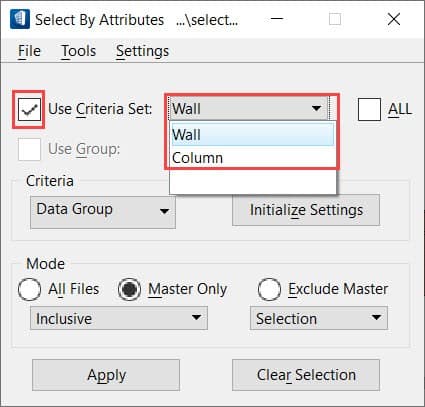
8. Finally, you can switch between items according to your needs and click Apply. Then you will notice that these items are selected immediately according to your selection.