Why some elements ignore the display style in MicroStation

In MicroStation, sometimes elements of the view seem to ignore the display style that one decides to apply.

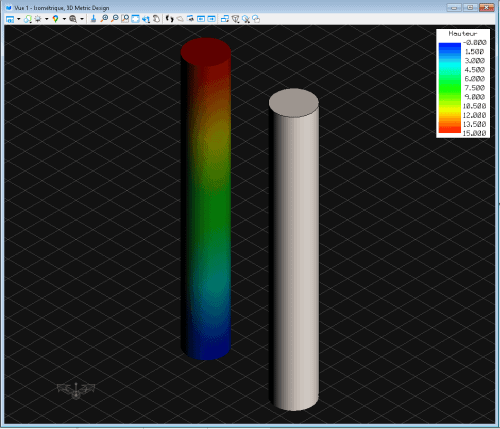
Indeed, after applying a display style Thematic : Height to display the different heights of the elements in the view, some elements are not affected.

In the example below, the two long cylinders have the same length and are positioned at the same Z value. However, one does not show the display of colors Thematic : Height.

2026-03-05 21h49 46

The display styles applied to the elements replace the display style applied to the view. Thus, the problem is not necessarily specific to style Thematic : Height displayed as illustrated in this example above.

Solution

Select items not displaying style Thematic : Height and open the dialog box Properties. Develop the section « Scope » and locate « Show Style » and change it on «From the view ».

This can of course be used backwards to force one or more elements to display with a particular style regardless of the display style applied to the view.
