Background
In case of failure of aerotriangulation or production, you can generate a log file (log) that you will have to send to the technical support of Bentley for troubleshooting and technical assistance.
Steps to follow
Option 1: Aerotriangulation failure
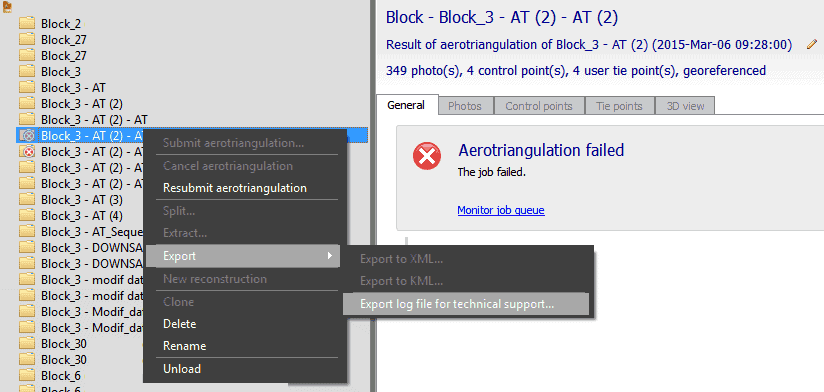
1. Your aerotriangulation process failed and you don't know why. You will have to export the log file and send it to the Bentley iTwin Capture Modeler support team.
2. In the left column, right-click on the failed AT file. Then export the log file for technical assistance.
Option 2: Failure of production
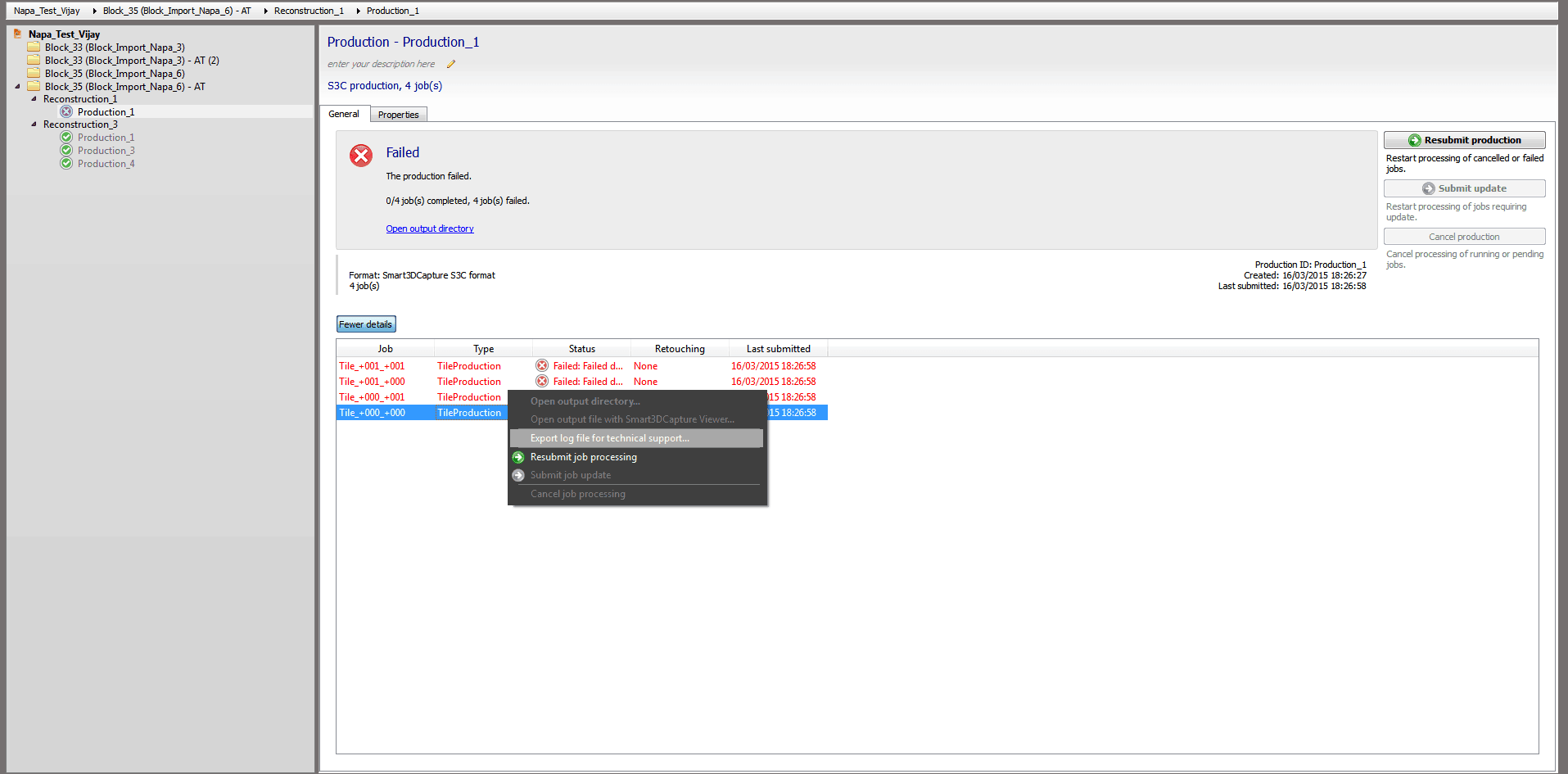
1. If your production failed, you must click on your production in the left column.
In the main window, then click More Details.
2. Then identify your failed production and right-click on> Export for technical assistance.