


Problem description
You acquired a nadir aerial data set and did not drive specific calibration step.
You have submitted an aerotriangulation, the distortion parameters have been calculated and your photogroup oriented, but the result is not satisfactory.
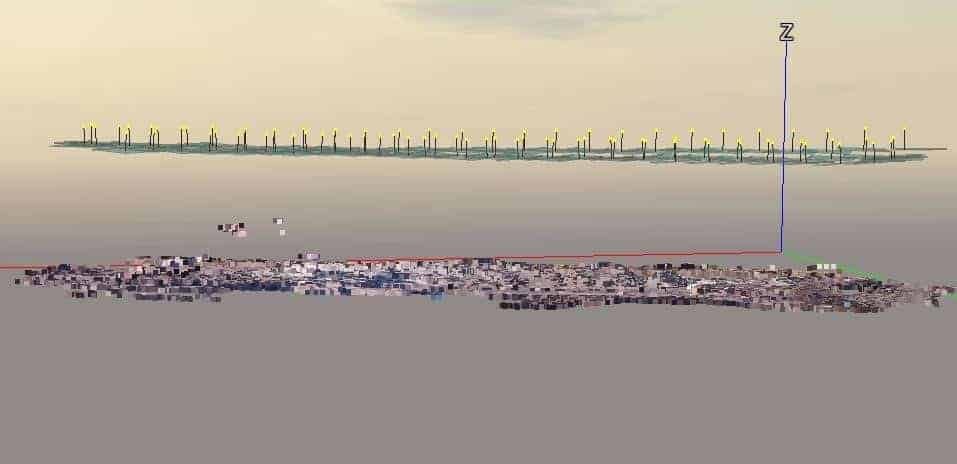
In this type of dataset, the same spherical deformation is often observed due to inaccuracy distortion parameters.

Steps to follow
To avoid this problem, we recommend the following:
- Capture a small set of data from any object with the same camera.
- Process the aerotriangulation on this dataset by keeping the default parameters.
- Export the optical properties of the aero-triangulated photogroup.
- Import these optical parameters into your UAV-photogroup.
- Submit the aerotriangulation and make sure to set the distortion settings to "Keep" instead of "Adjust".
- The process will take advantage of these more precise parameters and avoid the spherical effect.
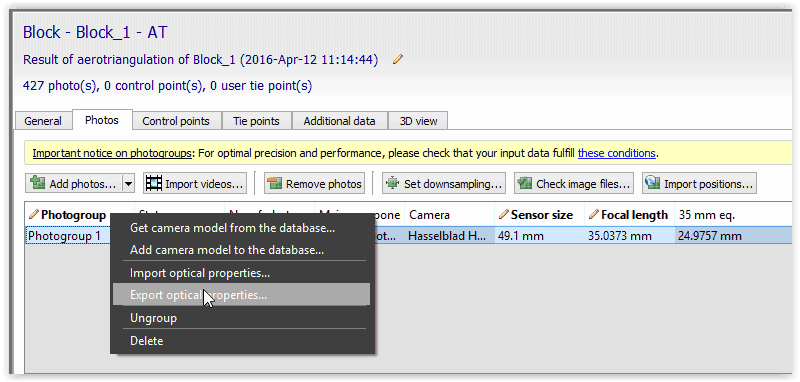
Export optical properties
- The distortion settings of your camera are unknown.
- Submitting an aerotriangulation will provide you with these parameters.
- You can export them as a file * .opt by right-clicking your aero-triangulated photogroup.

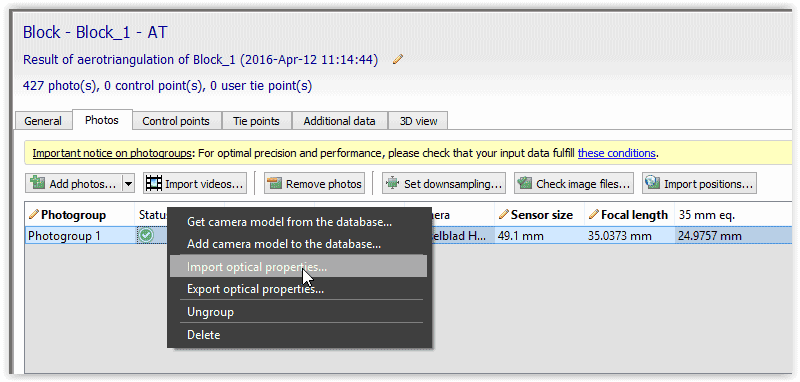
Import optical properties
- You have conducted a calibration of the camera and you know precisely the distortion parameters of your camera.
- You can import them as a file * .opt by right clicking on your photogroup, before submitting the aerotriangulation.
See also
For more information on the subject, you can also consult this Article.
