


Question
Can you combine the photo mesh with a topographical study to create a more precise mesh?
Answer
Yes – It is recommended to place visible targets on the photos. You can then raise these targets as topo points or stations. To link the points thus measured and the photographs, create checkpoints on the photographs using the targets to reposition the points topo.
Alternative technology
Another technique is to use targets QR code positioned and photographed in the field. These targets QR code will also be noted tacheometer/theodolite or via a GNSS rod.


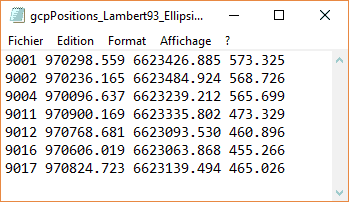
When calculating, a first step will be to import in the form of control points (Control Points) the numbers and coordinates of each point (e.g. via a file).
During the aerotriangulation phase, it will be asked that QR codes are detected. They will be correlated with the previously introduced control points.
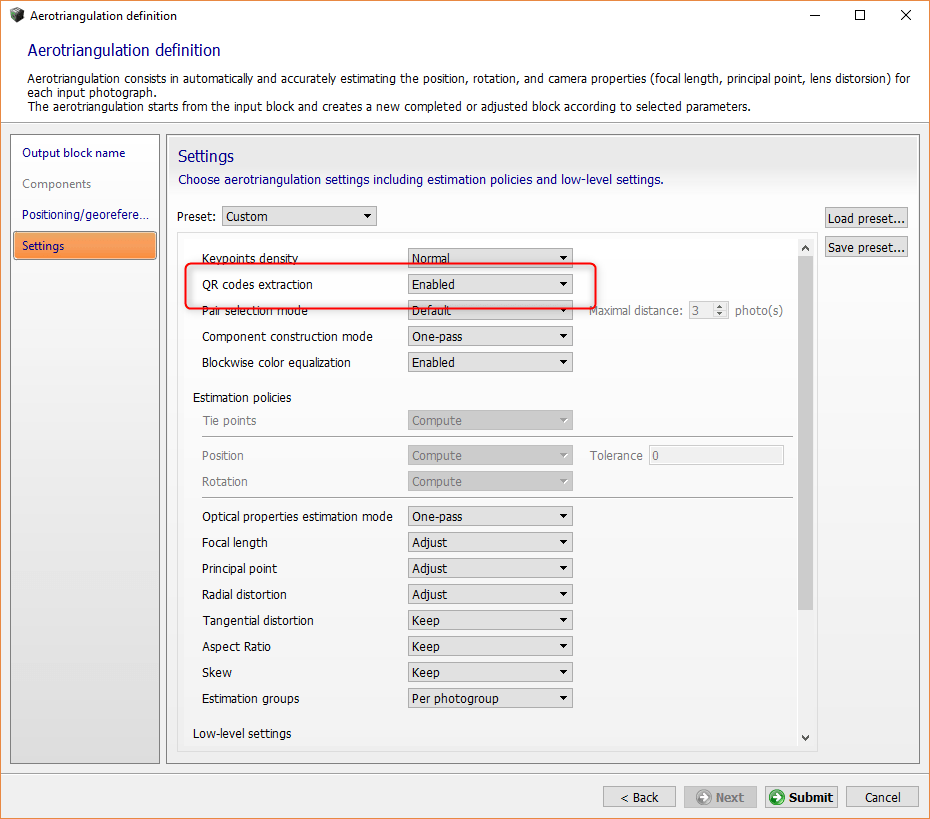
The model setting at control points will then be done automatically and your model will be georeferenced.
However, be careful to specify the correct coordinate system.
